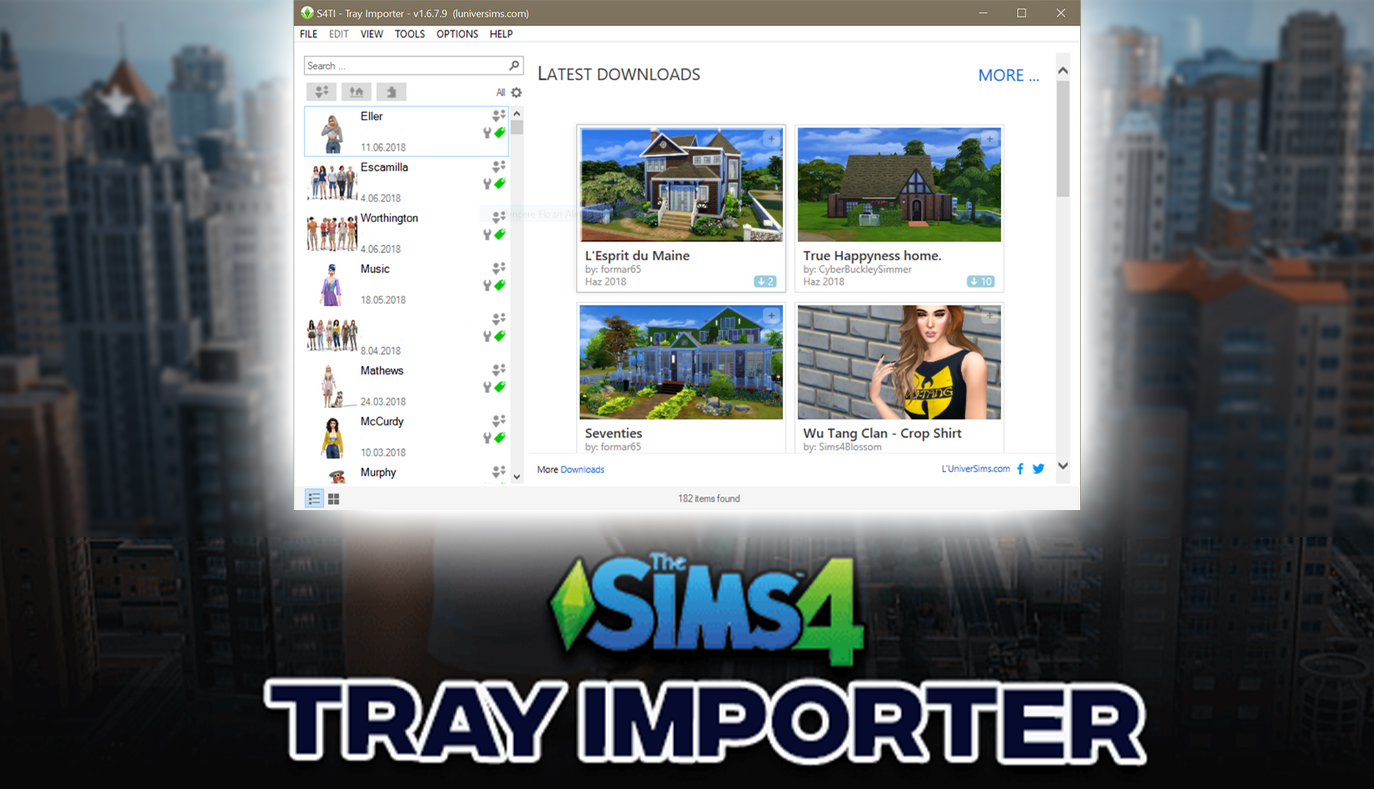
This application allows you to upload or download some Sims 4 Content (houses, lots, Sims or rooms) from/into your library.
It will also allow you to promote your creations not only in your own gallery but also on blogs, websites or even on the site Luniversims !
And even better… it allows to change the pictures of your creations !
How to Export Tray Files of your Sim?
- If you’d like to share your Sim creations with other players, you can export the Tray files.
- Open the application, click on the Sim on the left side and then click on the downwards arrow at the top left. Hovering on it will show the text “Export” > click on Export or Save Images.
- Save the zip file to the desktop.
- Now you can share the tray files with the help of the Tray Importer.
Hunting Down the Cursed Red-and-White Question Mark Glitch
There is no horror in the simmer community quite like loading into Create-a-Sim or launching a new lot, only to find a character standing before you with their hair, skin, or clothes replaced by terrifying red-and-white checkerboard patterns covered in black question marks. Or worse, their teeth or eyeballs are floating in mid-air because a mesh is missing. That nightmarish glitch happens when a custom content recolor is missing its original 3D mesh package. But how on earth do you find that single broken package among fifty thousand files in your Mods folder? That is where the legendary Sims 4 Tray Importer becomes your ultimate savior.
Developed by deevo, this external companion app inspects your game’s Tray library from outside the game. You save your broken Sim or glitched house to your in-game library, launch Tray Importer, and it displays every single custom item used on that character with color-coded status indicators, pointing you directly to the offending file.
Packaging Dream Mansions for Friends Without Missing a Single CC
If you love building elaborate custom houses, you know the absolute headache of sharing your creations with friends or followers. You spend forty hours building a Gothic Victorian manor complete with custom wallpapers, antique chandeliers, and vintage furniture. In the past, sharing that lot meant manually tracking down dozens of creator links or risking your friend downloading an empty shell where all the furniture vanished into thin air.
With Tray Importer, sharing lots is effortless. You select your mansion in the app, click Export with CC, and the program automatically packages the lot files together with every single required custom package into a tidy zip archive. Your friend can unzip it straight into their game and load into the exact furnished palace you built, down to the last custom floral rug and candle holder.
Replacing Blurry Gallery Thumbnails with Custom Photography
Anyone who uploads lots to the official gallery knows how frustrating the default automated photo angles can be. You build a stunning modern mansion, but the in-game camera decides to take a picture of a random rooftop chimney or a giant pine tree blocking the entire front porch, making your lot look unappealing on the gallery feed.
Tray Importer lets you replace those ugly default thumbnails with your own high-resolution screenshots. You can take beautiful cinematic angles at sunset, enhance the lighting slightly, and import the pictures straight into your lot’s Tray files. When you publish your build, it stands out with professional magazine-quality presentation, attracting thousands of eager downloads from fellow community members.
Cleaning Out Obsolete Tray Files That Clutter Your Library
Over months of playing, your in-game My Library tab inevitably fills up with hundreds of test houses, half-finished Sims, and obsolete builds that slow down gallery loading times. Deleting them one by one through the in-game UI is agonizingly slow, requiring multiple confirmation clicks for each item.
Tray Importer lets you browse, filter, and batch-delete obsolete library items in seconds. You can preview high-resolution lot screenshots, sort by creation date, and purge unwanted duplicates with a single click. Keeping your library clean keeps your game loading quickly and makes finding your favorite builds a breeze.
Spotting Missing Meshes Before Loading into Live Gameplay
Another fantastic feature is the dependency scanner. Whenever you download a Sim or lot from a creator’s website, Tray Importer will flag any missing meshes with red highlight warnings before you even boot up the game. You can copy the exact file name, search the web to grab the missing master mesh, and place it in your folder before you ever experience an in-game glitch.
It saves you from the frustration of starting a live gameplay session only to find half the furniture missing from your newly downloaded cafe or apartment. It turns building and lot sharing into a smooth, professional process.
The app is also a lifesaver for identifying CC that causes weird shadow boxes across room floors. When a custom sofa or kitchen counter produces odd black shadows in live mode, you can save the room to your library, load Tray Importer, and immediately identify the creator and package name. Being able to isolate and remove faulty build items in thirty seconds keeps your lots pristine and visually stunning.
For community builders who submit creations to collaborative build challenges, the tool provides a comprehensive list of all required CC links. You can copy the clean list straight into your post, ensuring followers download every required package without hunting across multiple websites.
The Secret Weapon for Every Serious Sims Builder and CC Collector
Sims 4 Tray Importer is an indispensable pillar of the modding community. Whether you are an architectural builder, a machinima director, or a casual simmer trying to eradicate broken textures, this tool saves hours of troubleshooting frustration.
It pairs brilliantly with directory organization from our Ultimate Mod Manager review and master gameplay controls from MC Command Center Mod. Keep this tool on your desktop, and you will never fear broken CC or missing meshes again.