Modern Modding Workflows and the Online Package Editor
Custom content creation and modding in The Sims 4 have long required installing substantial desktop software, managing complex runtime dependencies, and navigating confusing hexadecimal interfaces. The DBPF package file format is the foundational container for all game assets, storing 3D meshes, textures, tuning scripts, and audio clips inside specialized resource chunks. Modders needing to make quick tuning adjustments or swap out corrupted diffuse maps often faced cumbersome multi-step processes. The Sims 4 Online Package Editor by Simsmodly introduces a streamlined modern approach, bringing complete package inspection and resource editing directly into your browser.
The tool is designed for mod developers, custom content creators, and technical players who want fast, accessible package management without installing heavy desktop utilities. Operating client-side within modern web browsers, the tool delivers instantaneous file parsing, resource inspection, and binary compilation with zero software downloads required.
Simmers can drag and drop any Sims 4 package file directly into the browser viewport, instantly displaying a comprehensive resource tree containing every internal file, texture map, and tuning XML definition.
Comprehensive resource tree, binary parsing, and texture replacement
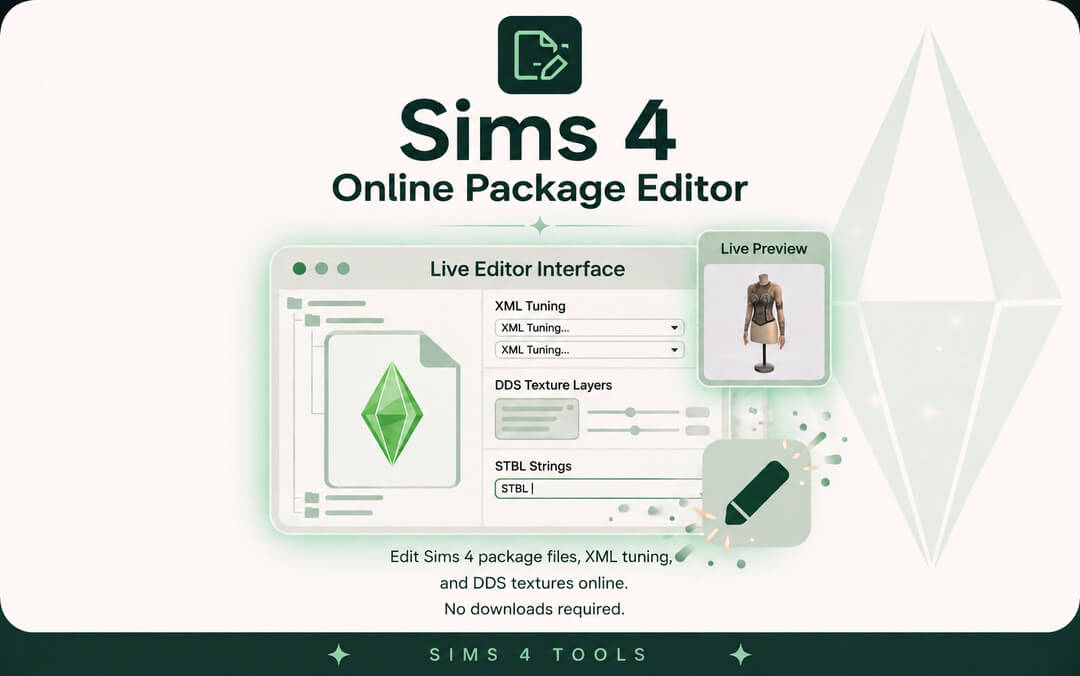
The main dashboard of the Online Package Editor displays an organized list of all embedded DBPF resources, categorized by type tags including RCOL, MODL, CLIP, STBL, and XML tuning. Users can select any resource to inspect its hexadecimal header, group ID, and instance keys.
The editor includes dedicated texture viewing and replacement tools for DDS and PNG images. Rather than extracting files through multiple programs just to fix a discoloration flaw, creators can preview textures in real time, upload corrected diffuse or normal maps, and commit changes with a single mouse click.
Tuning XML files can be edited directly inside a responsive built-in code editor equipped with syntax highlighting, search and replace functionality, and structural tag validation that catches formatting errors before saving.
The editor includes real-time hex inspection tools that allow advanced creators to examine raw binary chunks and header bytes directly. This low-level visibility makes it simple to debug corrupted resource flags or inspect custom compression headers that would otherwise cause cryptic package crashes.
Batch resource management, item deletion, and package merging
Managing bloated custom content files is simple with the built-in resource organization features. Users can delete redundant swatches, remove broken specular maps, or purge unused audio entries to reduce file sizes and optimize loading performance.
The batch renaming tool empowers creators to update instance IDs and internal resource descriptions across dozens of entries simultaneously. Whether updating package prefixes to prevent community name collisions or reorganizing catalog categories, bulk modifications execute instantaneously with complete data integrity.
The tool also supports package merging and unmerging capabilities directly in the browser. Builders can combine multiple furniture items into a unified collection package to tidy up their Mods folder, or extract specific clothing items from large community packs with effortless precision.
The editor preserves resource compression standards, generating lightweight, properly formatted package files that maintain total compatibility with the official game engine.
Browser Performance, Total Privacy, and Local Execution
A major technical achievement of the Simsmodly online suite is its unwavering focus on user privacy and lightning-fast local performance. The entire DBPF file parsing engine operates client-side within your browser using WebAssembly and WebGL frameworks.
Zero software installations and total file confidentiality
Your custom content packages and proprietary mod files are never uploaded to remote cloud servers; all data processing, texture manipulation, and binary packaging occur strictly on your personal device. This guarantees total privacy for sensitive work-in-progress projects and eliminates internet upload delays.
Because the parsing algorithms operate locally through modern WebAssembly, file operations happen at native hardware speeds. Dragging large multi-gigabyte collection packages into the viewport loads resources in seconds without browser freezing or memory leaks.
Because the utility runs entirely in the browser, it is universally accessible across Windows, macOS, Linux, and Chromebook computers without requiring administrative installation privileges or background software updates.
Pairing this package editing workflow with custom fashion collections like the Daniella Skirt allows you to fine-tune catalog tags, adjust price points, and configure color swatches before adding items to your active save file.
Mod Troubleshooting, Conflict Resolution, and Quality Control
For players troubleshooting mod conflicts and broken custom content, the Online Package Editor provides invaluable diagnostic power. When an item causes visual glitches or script errors in live mode, inspecting the package reveals corrupted resource links or conflicting instance IDs in seconds.
The built-in conflict detector scans package resources against standard game indices, alerting creators to duplicate instance hashes or overlapping resource tags. Catching these conflicts before installing files saves players countless hours of troubleshooting broken game menus and missing objects.
You can quickly fix broken thumbnail images, reassign missing diffuse textures, and repair outdated tuning flags without risking save file corruption or waiting through lengthy game boot sequences.
Creators can also verify resource cleanliness before publishing their content to community platforms like Patreon or Tumblr, ensuring that downloaders receive stable, polished files.
Browser Modding Innovation and Final Utility Verdict
The Sims 4 Online Package Editor is an extraordinary web application that brings speed, clarity, and comprehensive resource editing directly to your browser. By offering instantaneous file inspection, in-browser texture replacement, and local file security without requiring desktop software, it stands as an essential utility for modern modders.
By removing the need for heavy desktop installations and complex runtime dependencies, this web tool lowers the barrier of entry for aspiring custom content creators and modders.
With its intuitive resource tree, in-browser texture editing, and rock-solid privacy protection, the Online Package Editor stands as a triumph of modern browser-based game tooling.
Whether you are a seasoned mod creator developing intricate gameplay systems, a custom content designer perfecting fabric textures, or an everyday player curating a clean, error-free Mods folder, this tool provides effortless speed, privacy, and dependable utility in every session.