The Get to Work expansion pack introduced active professions to The Sims 4, allowing players to physically accompany their Sims to work as Doctors, Detectives, and Scientists. While this feature was widely celebrated, players were disappointed that EA never extended active workplace mechanics to the game’s dozens of other careers. For astronauts, culinary chefs, painters, entertainers, and business executives, work remained an unplayable rabbit hole where Sims vanished off-lot for eight hours.
Zerbu solved this limitation with the Turbo Careers Mod Pack. This ambitious gameplay overhaul turns all standard closed careers into fully interactive active professions. By constructing custom workplace venues and completing daily shift goals, you can finally guide your Sims through every working day. This review breaks down how Turbo Careers operates, how to build workplaces, and the exciting career gameplay it unlocks.
Converting Rabbit Holes into Playable Workplaces
The core concept of Turbo Careers is brilliantly straightforward. When it is time for an employed Sim to go to work, the game presents a familiar dialogue prompt: “Join” or “Send Alone.” If you choose “Join,” your screen transitions directly to a customized workplace lot where your Sim spends their entire shift under your active control.
Every base game career track—including Culinary, Writer, Painter, Secret Agent, Criminal, Tech Guru, Entertainer, Athlete, and Business—is supported. Instead of sitting idle waiting for Sims to return from rabbit holes, you participate in their daily grind, solve work emergencies, and interact with professional colleagues throughout the shift.
If you have multiple Sims working in different professions, the mod gives you complete freedom each morning. You can accompany one Sim to their culinary shift on Monday, send them alone on Tuesday while you accompany their spouse to an office workplace, or alternate according to your storytelling preferences.
Constructing and Customizing Dynamic Workplace Venues
To enable active shifts, players assign specific custom venue types to lots in their worlds. Zerbu provides dedicated lot traits and venue designations for each career path, allowing you to build or download specialized workplace buildings directly from the Gallery.
For example, a Culinary workplace can be designed as a bustling commercial restaurant or bakery filled with industrial stoves, prep counters, and dishwashers. A Business or Tech Guru workplace can be set up as a multi-story corporate skyscraper with cubicles, conference rooms, break lounges, and executive suites. Building these lots offers incredible creative freedom, letting you design professional spaces that match the aesthetic of your neighborhoods.
You can furnish these spaces with authentic career rewards unlocked through tools like BuildBuyMode Unlocker, or pair office attire with chic ensembles like the Socialite Career. Coworker NPCs automatically spawn on the lot each morning, creating a lively office environment filled with bustling activity.
Branching Career Paths and Specialized Department Rooms
As Sims advance through their chosen professions, Turbo Careers adapts to reflect their rising status and specialized job branches. In the Culinary track, for example, a Sim who branches into Mixology will spend their active workdays managing bustling bar counters and developing signature drink recipes, while a Sim pursuing Chef mastery oversees stove lines and food quality assurance.
Builders can zone distinct department rooms within workplace lots, such as private executive offices, tech testing suites, or soundproof recording booths. This architectural compartmentalization ensures that coworkers naturally gravitate toward areas matching their specific roles, creating a believable corporate environment where different departments collaborate under one roof.
Managing Workplace Emergencies and Urgent Objectives
To keep daily shifts engaging and prevent repetitive routines, Turbo Careers introduces surprise workplace emergencies and high-priority objectives. A Tech Guru might face sudden server outages that disrupt company operations, requiring rapid diagnostic repairs before the workday concludes. Similarly, an active Journalist might be dispatched on an urgent field assignment to interview prominent townies across town.
Successfully resolving these crisis scenarios grants substantial bonus performance points and positive confident moodlets. These unpredictable challenges keep players actively engaged throughout the shift, making each working day feel distinct and dynamic.
Daily Shift Goals, Work Performance, and Career Promotion
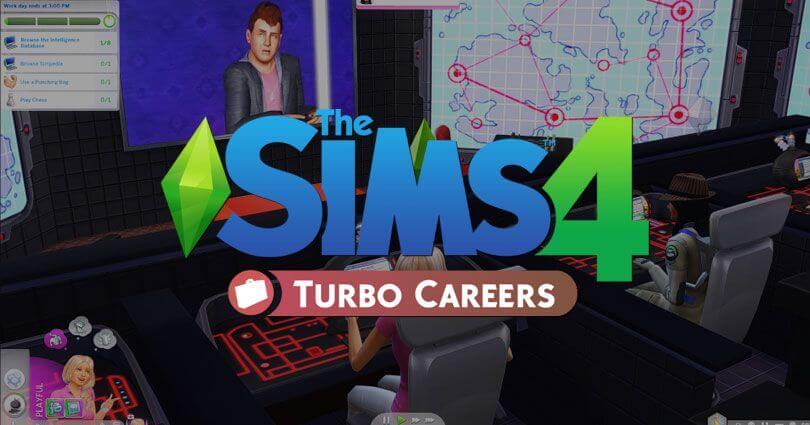
During an active work day, Turbo Careers displays an event progress bar at the top of the screen, similar to social parties and Get to Work professions. Sims receive a dynamic list of career-appropriate tasks to complete before the workday ends.
An active Chef might need to prepare three gourmet entrees, clean cooking counters, and test new recipes on colleagues. An active Writer will spend hours typing drafts on computers, researching story ideas in library archives, and proofreading articles. Completing these goals fills the daily shift meter from bronze to gold, granting significant boosts to overall job performance and speedier promotions.
Additionally, coworkers on the lot can participate in specialized career socials. Tech gurus can discuss programming frameworks, athletes can organize intense training drills, and painters can critique each other’s canvases. This workplace socialization makes office life feel authentic and interconnected.
Expanding Ambitions Across School and Family Gameplay
Turbo Careers represents a massive leap forward for players who find rabbit hole careers boring. It integrates smoothly into family storytelling, allowing parents to genuinely work hard for their household earnings while children attend school. It pairs naturally with Zerbu’s companion mod, the Go to School Mod Pack, creating a fully active world where no family member disappears off-screen.
The mod also accommodates custom career tracks created by community modders, provided creators utilize Zerbu’s career framework. This open-ended architecture gives you limitless workplace variety across multiple saves and generational playthroughs.
Installation Instructions and Best Practices
To install Turbo Careers, download Zerbu’s package and script files and place them into your Mods folder. Ensure that the required Venue Changes mod is also installed so the custom workplace lot traits appear correctly in Build mode.
Remember that you must place or build corresponding workplace venues in your save file for each active career your Sims pursue. Once your lots are zoned and furnished, your Sims are ready to begin their active professional journeys. For players seeking deep immersion and engaging daily gameplay, Turbo Careers is one of the most impressive mods ever created for The Sims 4.